How to send an Inscription
Sending from the Nintondo
Select the inscriptions you need
In Nintondo, go to the top right corner of the page and click on your profile icon, then select the NFT you want to sell.
At the bottom of the product page, click Send.
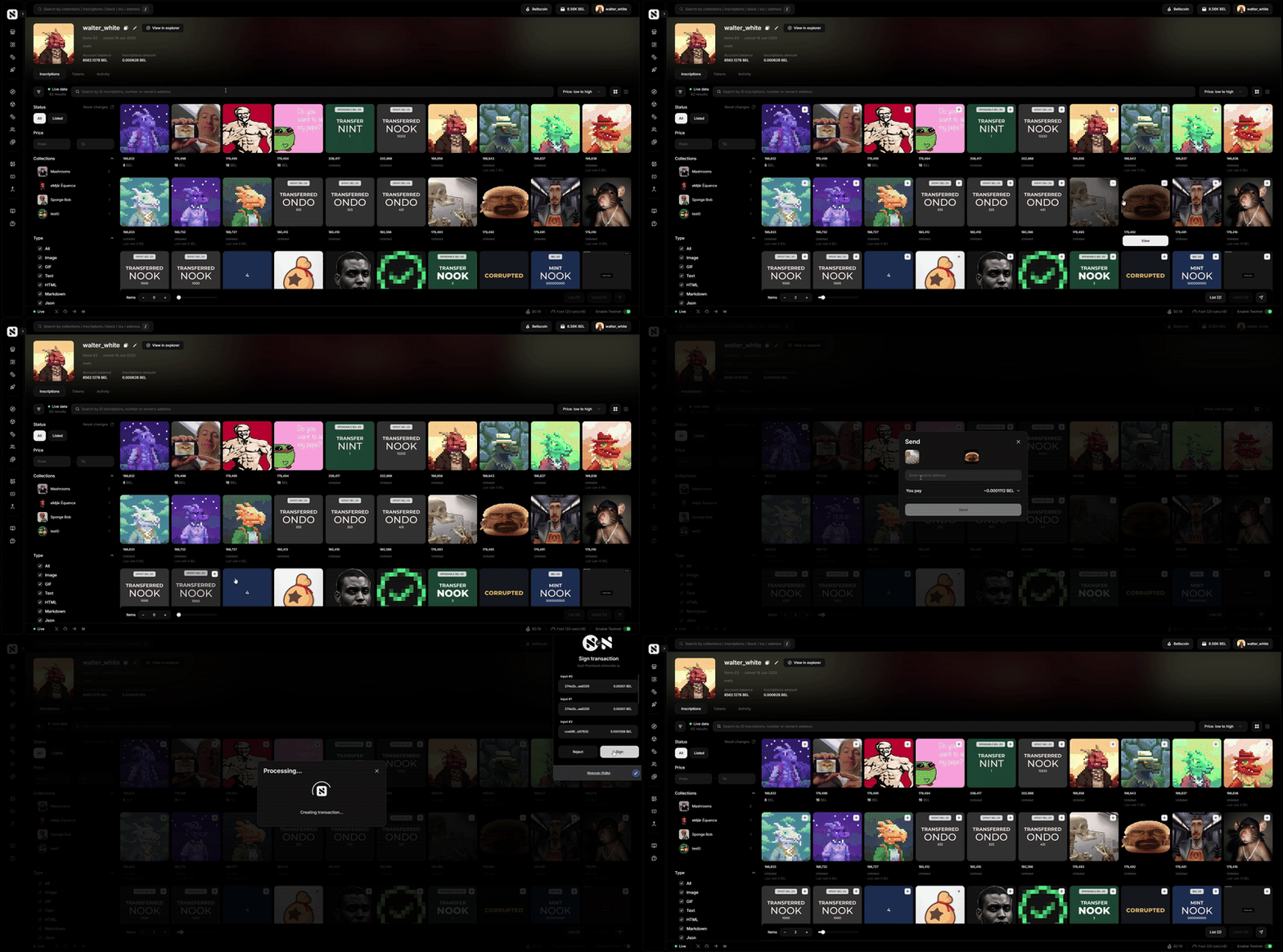
Please note that when sending an inscription, your wallet must have a balance, because a network commission will be charged.
Sending from the Nintondo Wallet (Extention)
Step 1: Open Nintondo Wallet.
Step 2: Click “NFT“ button.
Step 3: Select the desired inscription.
Step 4: Click “Send“ button.
Step 5: Enter address.
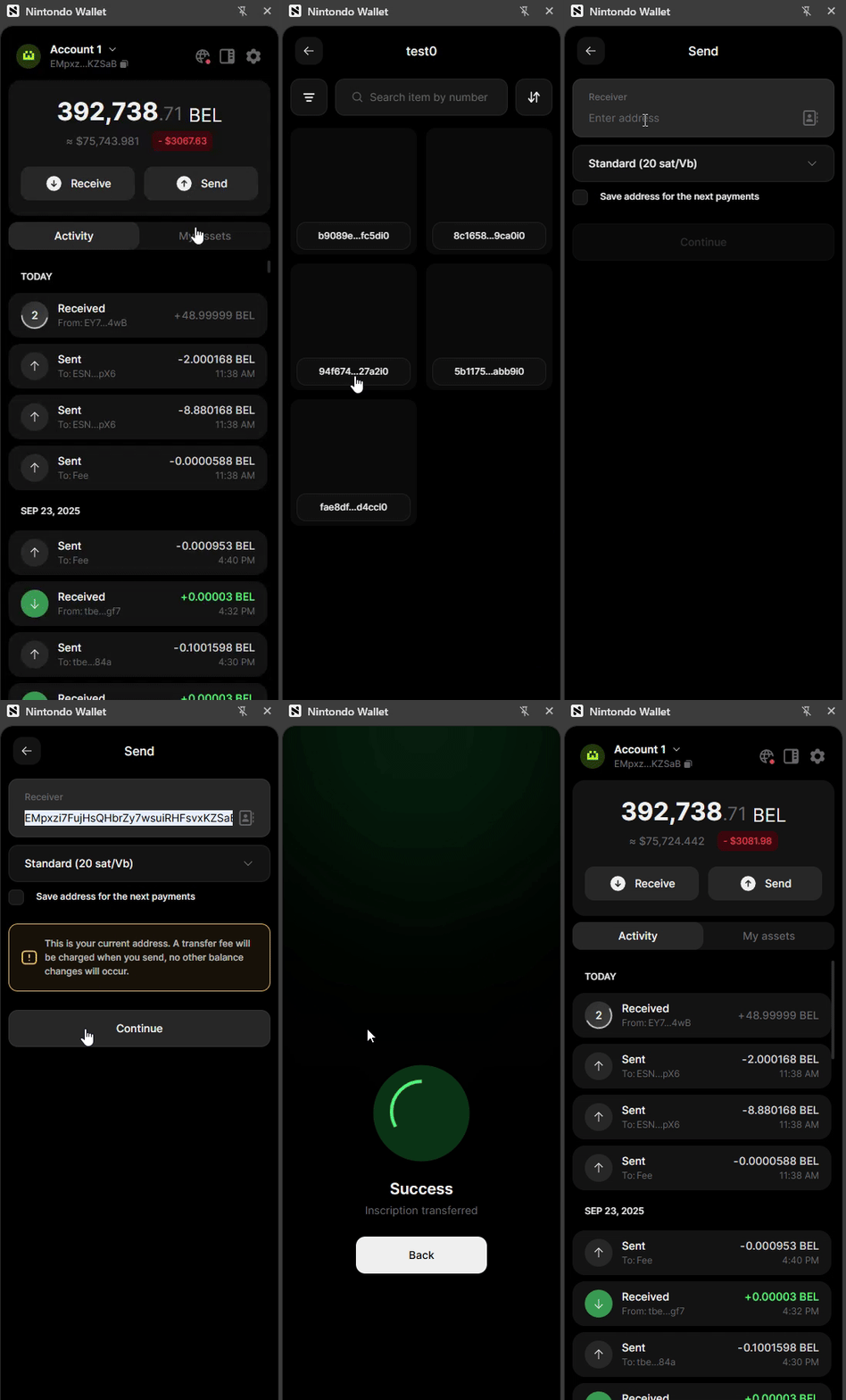
Please note that when sending an inscription, your wallet must have a balance, because a network commission will be charged.
BuyingBuy and sell your inscriptions.
Selling